Eight selectable models
Text, image and reference workflows across six model lines. Each mode shows only the settings that model accepts.
Independent AI video workspace
Turn a prompt or image into a Seedance video. Choose your model, shape the shot and see the exact credits before you generate.
Rooftop turn — motion from a starting image
480p · 5s · 30 credits
This shot: 30 credits
Billed per output second; the charge reflects resolution, duration and optional audio.
About $1.98/video using the Starter pack; $9.90 paid upfront covers 5 complete videos at these settings. Videos are not sold individually. Credits and pricing
Independent service. Not affiliated with ByteDance or Dreamina.
Real outputs · generated October 3, 2026
Each clip is an unedited Seedance 2.5 output at 480p with its original sound. Copy the prompt or load the full settings for your own test; repeated generations can differ.
Generated for SeedanceAI.dev through the same provider route as the generator. Nothing was upscaled, re-timed or re-edited; press play to hear the generated audio.
See how these prompts are builtSeedance 2.5 · 480p · 8s · 48 credits
Medium close-up of a woman in her thirties at a rainy bus stop. She looks up from her phone and says, "It's late again." Handheld at eye level, shallow focus, traffic hiss and rain.
Seedance 2.5 · 480p · 5s · 30 credits
Locked macro of an unbranded matte-black espresso cup on pale stone. Steam rises and curls left. Slow push-in that stops at the rim. Soft window light, quiet room tone, no text.
Seedance 2.5 · 480p · 8s · 48 credits
Start close on a brass compass in an open palm, then dolly back to reveal a hiker on a ridge at sunrise. One continuous move that ends on a stable wide shot. Wind, distant birds.
Seedance 2.5 · 480p · 5s · 30 credits
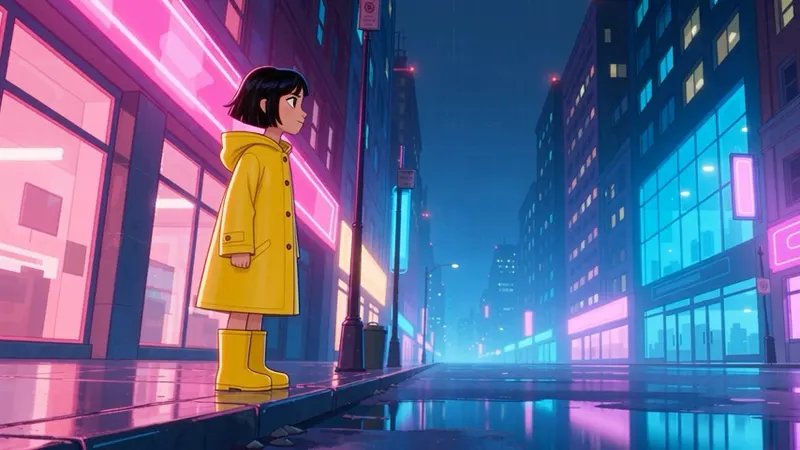
2D anime style. A girl in a yellow raincoat jumps a puddle on a neon-lit street; the splash freezes for a beat, then falls. Side tracking shot, bold outlines, city ambience.
Seedance 2.5 · 480p · 5s · 30 credits · first-frame image input
Keep the subject, outfit and background from the first frame. She turns into the wind and the cobalt coat lifts behind her. Hair moves in the breeze. Locked camera, no new objects.
Seedance 2.5 · 480p · 15s · 90 credits
[0-5s] Wide: a street chef lights a wok burner at night. [5-10s] Close: vegetables toss through the flame, oil sizzles. [10-15s] Medium: he plates the dish and slides it forward. Warm practical light.
A 5-second Seedance 2.5 video uses 30 credits at 480p or 60 at 720p. The workspace updates the charge when you change settings. Compare plans, estimated video counts and expiry on the pricing page.
Calculate your video budgetText, image and reference workflows across six model lines. Each mode shows only the settings that model accepts.
Resolution options change with the selected model. The workspace does not merge upstream claims into one universal capability.
Workflow, aspect ratio, duration, image count and audio controls reconcile whenever the model changes.
The displayed product credit charge is calculated from resolution and duration. Confirmed failed tasks are refunded automatically.
Seedance 2.5 offers longer clip options here. Seedance 2.0 Standard, Fast and Mini offer different credit costs for shorter tests. Compare the same prompt and settings before choosing.
From a compass close-up to a mountain sunrise.
Same prompt · 8s · 480p · two original outputs
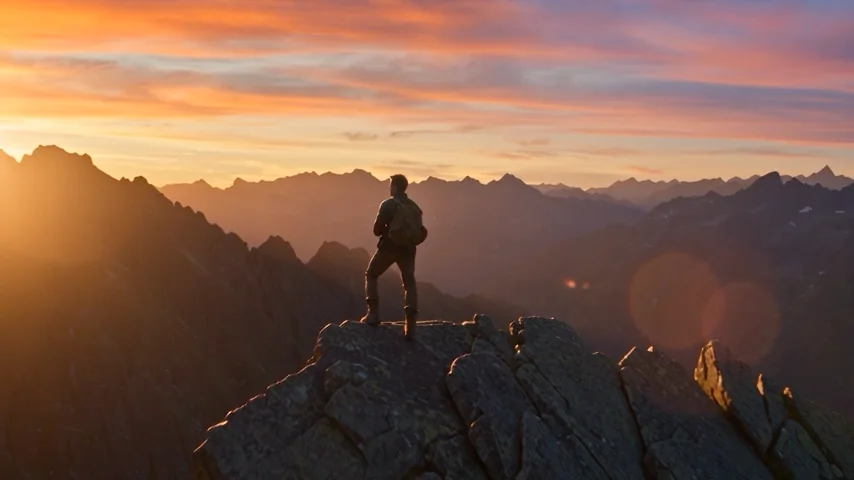
Our sample · 480p · 8s · 48 credits
Use it for new prompts, longer single-shot structure, synchronized audio and reference-led work.
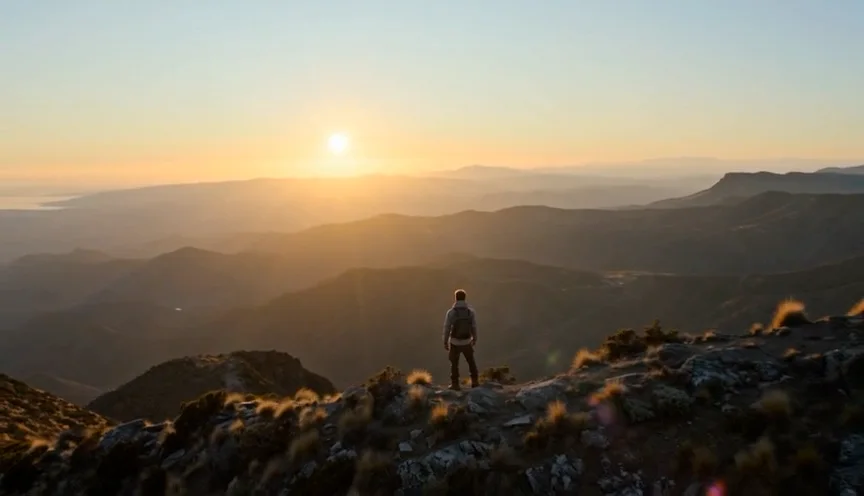
Our sample · 480p · 8s · 32 credits
Use it for lower-cost short tests and proven prompt recipes. A 5-second 480p Mini clip starts at 5 credits.
Start close on a brass compass in an open palm, then dolly back to reveal a hiker on a ridge at sunrise. One continuous move that ends on a stable wide shot. Wind, distant birds.
One prompt. Five seconds. A scene in motion. Follow this real example, then make it your own.
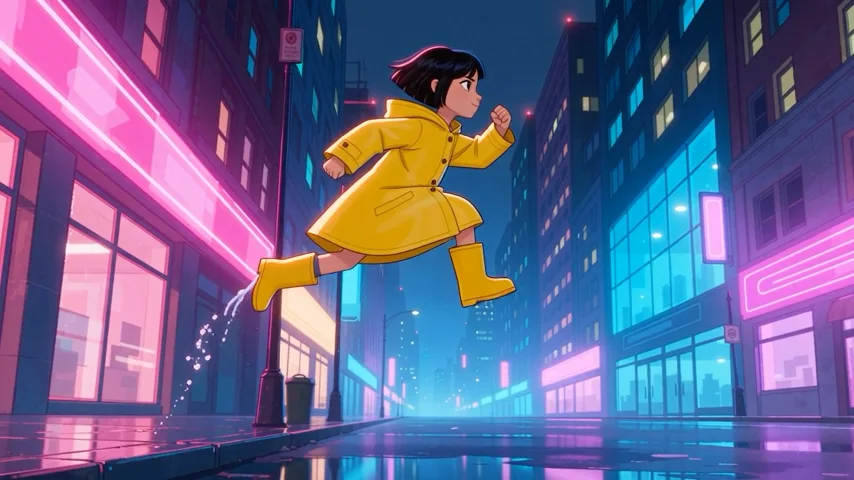
The prompt behind the shot
2D anime style. A girl in a yellow raincoat jumps a puddle on a neon-lit street; the splash freezes for a beat, then falls. Side tracking shot, bold outlines, city ambience.
An original Seedance 2.5 output from this workspace. Play it to inspect motion and sound; repeated generations can differ.
This example uses Seedance 2.5 text-to-video. Start with 480p and five seconds.
A character, one jump, a side-tracking camera and splash timing. Copy the direction, then change the subject or setting.
These settings use 30 credits. Sign in and confirm your balance before submitting.
Play the result to check tracking, the jump and the splash. Download the output or reuse the settings for another take.
Describe the subject, what changes, the camera movement and the timing. Add dialogue or sound only when the chosen model supports it. Start with a short test, then revise the parts you can observe.
A brushed-metal speaker sits on wet black stone in a quiet studio.
Slow dolly-in as warm practical light catches the product edge.
A hand enters frame, stops beside the control dial; restrained room tone.
A useful shot has a spine
Subject first. Then the move, timing and sound that make the direction legible to the model. Keep each beat observable. If the action cannot be seen, it is difficult to evaluate or revise.
Switch models in the generator at any time. Each guide lists the settings and credit cost for that model.
The director’s trend notebook
Choose a story, copy an original prompt and load the photo-reference settings.
Cover: an actual frame from the second, unedited generation.
Explore the trend notebook →
01 / Two-photo story
Watch our two-photo test, inspect the exact prompt and see the cost of both submissions.
Answers grounded in the settings and behavior available in the current product.
SeedanceAI.dev is an independent video workspace using third-party API access. It is not affiliated with or endorsed by ByteDance, Doubao or Dreamina.
Seedance 2.5 is selectable in this workspace. Review the current settings and credit charge before submitting; an account with enough credits is required.
Eligible new accounts with verified email receive 5 credits, enough for one 5-second 480p Seedance 2.0 Mini video. Disposable addresses and repeat accounts on the same network within 24 hours are restricted. Seedance 2.5 uses 30 credits for that configuration; see the free-access guide and credit plans.
Free access and eligibility →A 5-second video uses 30 credits at 480p or 60 at 720p. Packs currently start at $9.9. Dollar estimates per video depend on the plan, configuration and use of its credits.
Calculate video costs →Seedance 2.5 currently offers 5, 8, 10, 15 and 30-second options at 480p or 720p here. Seedance 2.0 offers 5, 8, 10 and 15-second options. These describe this product, not every provider.
Seedance image-to-video accepts up to two images here. Image-reference mode accepts up to six images. This browser workspace does not currently provide video or audio reference uploads.
This workspace uses product credits per task. The unlimited comparison explains other providers’ time windows, queues and plan limits; it is not an unlimited offer from this site.
Compare unlimited plans →Provider-confirmed failed tasks follow the credit-return process. A task that is still queued or processing is not treated as failed. Keep the task record and avoid duplicate submissions while it is running.
Commercial use depends on your plan, current provider and model terms, and rights to your inputs and requested content. Access to a model does not clear third-party characters, brands, music or likenesses.
Use 480p and five seconds to validate the prompt before moving to a longer 720p generation.